

Bluetooth technology has revolutionized the way people connect, but it can sometimes feel like a game of musical chairs—just when you think you’ve found the perfect spot, the music stops, and your devices start acting up. If you’ve ever experienced the frustration of choppy audio or dropped connections, you know how maddening it can be.
Understanding Bluetooth Interference
Bluetooth interference refers to disruptions in wireless signals that impact device connectivity and performance. Various factors contribute to this phenomenon, including physical obstructions and electronic interference. For instance, walls, furniture, and even human bodies can diminish signal strength.
Other devices operating on similar frequencies can also cause issues. Microwaves, Wi-Fi routers, and cordless phones often share the 2.4 GHz bandwidth used by Bluetooth technology. When multiple devices compete for the same frequency, users experience dropped connections and distorted audio.
Environmental conditions play a significant role in Bluetooth performance. Distance between devices matters; the typical effective range is up to 30 feet, but obstacles can reduce this distance. Users notice that maintaining a clear line of sight can help reduce interference.
Interference may also result from outdated software or firmware. Keeping devices updated can prevent compatibility issues and improve overall connectivity. Additionally, some Bluetooth devices feature adaptive frequency hopping, which minimizes interference by changing channels within the frequency.
Understanding and addressing these factors can enhance Bluetooth performance. It remains crucial to identify potential sources of interference for the best results. By taking steps such as relocating devices or minimizing competing signals, users can achieve a more stable and reliable Bluetooth connection.
Common Sources of Bluetooth Interference
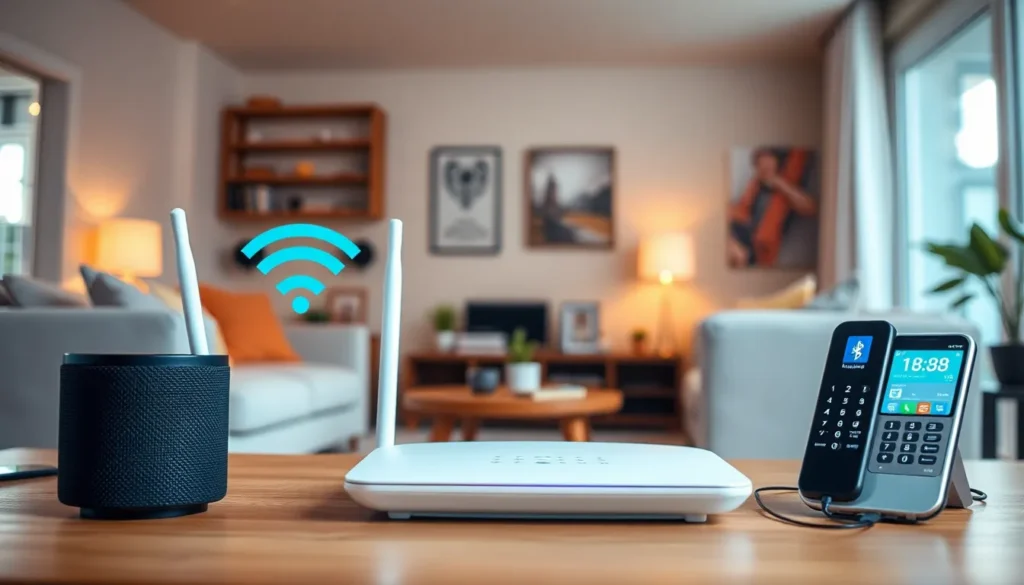
Understanding common sources of Bluetooth interference helps in maintaining stable connections. Identifying these factors enables users to implement fixes effectively.
Wi-Fi Networks
Wi-Fi networks often interfere with Bluetooth signals. Both operate in the 2.4 GHz frequency range, leading to congestion. This overlap results in data packets competing for bandwidth, causing interruptions. Users can lessen this interference by switching Wi-Fi channels or using 5 GHz networks, which operate outside the Bluetooth frequency range. Ensuring that Wi-Fi routers are positioned away from Bluetooth devices also improves connectivity. Avoid placing devices too close to one another, as physical proximity can heighten interference.
Other Wireless Devices
Other wireless devices contribute toBluetooth interference as well. Microwaves, cordless phones, and baby monitors commonly emit signals that disrupt Bluetooth connections. Users should minimize the distance between Bluetooth devices and potential interference sources. Turning off or relocating these devices can enhance performance. Additionally, utilizing Bluetooth devices that support updated profiles helps in avoiding compatibility issues with older technology. Effective management of these devices results in clearer audio and more reliable connections.
Troubleshooting Bluetooth Interference
Troubleshooting Bluetooth interference involves identifying and resolving issues affecting connectivity and performance.
Checking Device Compatibility
Compatibility between devices plays a crucial role in Bluetooth performance. Older devices might not support the latest Bluetooth profiles, which can lead to choppy audio or dropped connections. Users should verify that all paired devices are compatible with each other and utilize updated Bluetooth versions. Additionally, checking manufacturer specifications can highlight potential compatibility issues. In some cases, using a different brand or model may help eliminate interference problems entirely.
Updating Software and Drivers
Keeping software and drivers current significantly improves Bluetooth functionality. Outdated firmware can lead to various connectivity issues, so users must regularly check for updates. Device manufacturers often release updates to enhance performance and fix known issues. Activating automatic updates on devices ensures they stay current without needing manual intervention. Regularly updating apps connected via Bluetooth can also enhance stability, further improving the overall experience while streaming audio or sharing files.
Effective Bluetooth Interference Fixes
Bluetooth interference can disrupt connectivity, but various fixes exist to enhance performance. Addressing sources of interference significantly improves the audio and overall experience with Bluetooth devices.
Adjusting Distance and Placement
Relocating Bluetooth devices offers a straightforward solution to interference issues. Walls and furniture often block signals, reducing effective ranges. Keeping devices within 30 feet of each other ensures better connectivity. Positioning Bluetooth receivers and transmitters in open spaces minimizes obstacles. Additionally, avoiding placement near microwaves and cordless phones prevents disruptions. An optimal arrangement boosts signal strength and clarity.
Using Wired Alternatives
Utilizing wired connections serves as an effective alternative when Bluetooth problems persist. Wired headphones and audio cables eliminate the risk of interference. They also provide stable audio quality, ideal for immersive listening experiences. Opting for USB connections simplifies file transfers without Bluetooth-related issues. Devices can maintain consistent performance while avoiding the complications associated with wireless setups. Transitioning to wired options facilitates reliable connectivity across various activities.
Preventing Future Interference
Preventing Bluetooth interference enhances device connectivity. Taking proactive steps ensures smoother operation and fewer disruptions.
Choosing the Right Equipment
Selecting devices that adhere to updated Bluetooth profiles is crucial. Many modern Bluetooth devices support versions like 4.0 and above, which offer improved range and reduced interference. Compatibility matters; using equipment designed for the same protocol minimizes connection issues. High-quality audio devices often feature advanced noise reduction technology, contributing to clearer sound. Investing in products from reputable brands increases reliability, as they typically undergo rigorous testing.
Regular Maintenance Tips
Regular maintenance of Bluetooth devices promotes optimal performance. Checking each device’s software and firmware ensures that each one runs the latest version. Pairing devices once after every software update can resolve many connection issues. Users should periodically unpair and re-pair devices, as this action can refresh their connection. Keeping the environment clutter-free also matters; minimizing physical obstructions between devices guarantees a stronger signal. Finally, ensuring that devices remain clean and free from dust improves overall functionality.
Addressing Bluetooth interference can significantly enhance the user experience. By recognizing common sources of disruption and implementing simple strategies, individuals can enjoy clearer audio and more reliable connections. Keeping devices updated and maintaining a clutter-free environment are essential steps towards optimal performance.
For persistent issues, exploring wired alternatives can provide a dependable solution. Ultimately, staying proactive about device compatibility and environmental factors will help ensure seamless connectivity. With these practices in place, users can fully embrace the convenience and versatility that Bluetooth technology offers.

